

How Photos Improve Local SEO for Restaurants
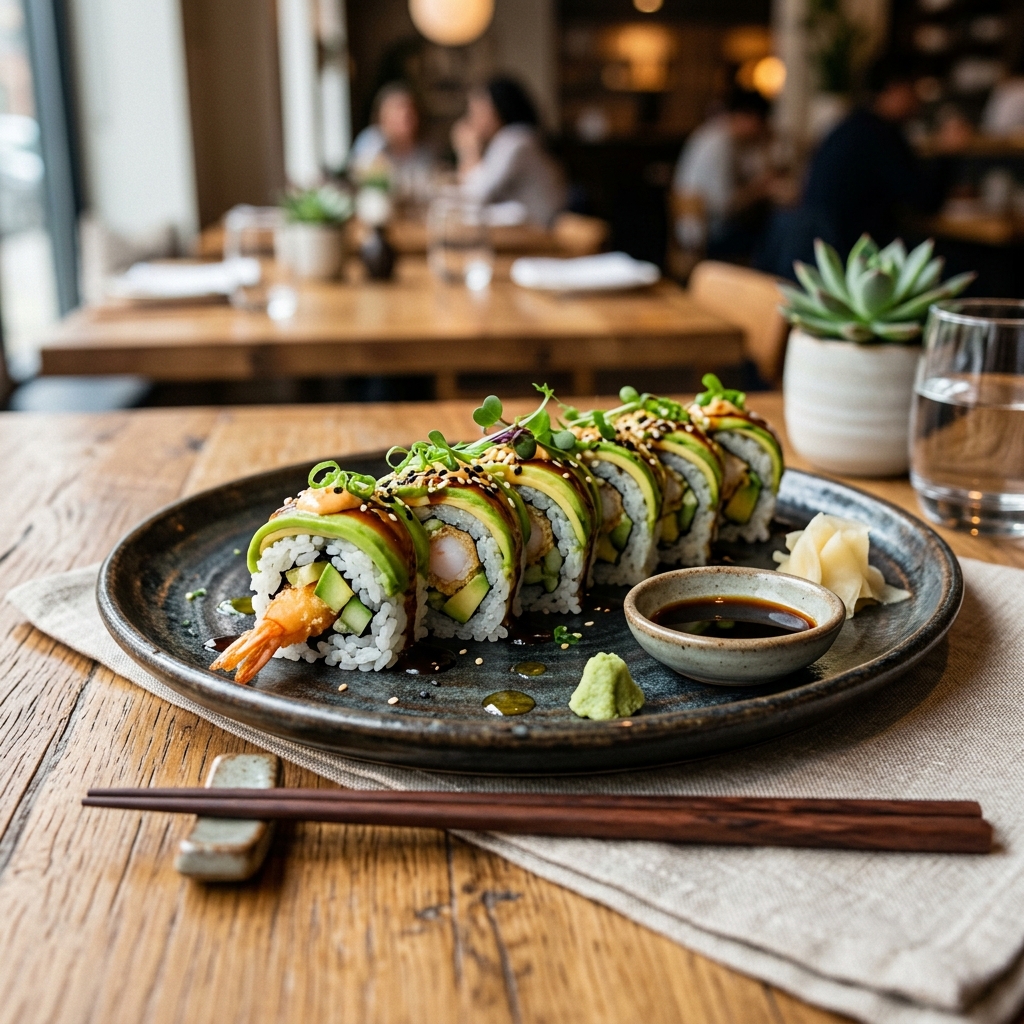
Why Hungry Customers Search with Their Eyes First
When someone opens Google Maps on a Friday evening in downtown Portland and types "ramen near me," they aren't looking for a dry analysis of noodle texture or a list of ingredients. They want to see the steam rising from the bowl. They want to see the rich, milky broth and the perfect soft-boiled egg cut in half. The human brain processes visual information thousands of times faster than text, and in the restaurant industry, this visual preference dictates where people choose to eat.
Local search engine optimization (SEO) is no longer just about keywords and business citations. It has evolved into a highly visual experience. Search engine results pages are dominated by map packs, local finders, and image carousels. When you optimize your restaurant's digital presence, photos serve a dual purpose. They act as ranking signals for search engine algorithms and as conversion tools for potential guests.
Think about a typical dining decision. A group of friends is walking around a busy neighborhood, looking for a spot to get tacos. They search on their phones, scroll past three listings with no images or low-quality, dark photos of empty dining rooms, and stop on the listing showing a vibrant plate of street tacos with fresh cilantro and a squeeze of lime. That visual confirmation is often the single factor that makes them click for directions. If your restaurant fails to show what you serve, you don't exist for these high-intent local searchers.
The Mechanics of Google's Visual Engine
To understand how photos improve local SEO, you must look under the hood of Google's search technology. Google does not just look at file names or alt text. It uses advanced machine learning models, specifically its Cloud Vision API, to analyze and interpret the actual pixels in your images.
When you upload a photo of your signature cheeseburger to your Google Business Profile, Google's algorithm scans the image and identifies various entities. It detects the sesame seed bun, the melted cheddar, the grilled beef patty, and even the side of fries. It categorizes the image under labels like "fast food," "hamburger," and "comfort food."
This visual understanding directly influences search rankings. If a user searches for "best cheeseburger with brioche bun in Seattle," Google will match that query not only with text on websites but also with images it has identified as containing a cheeseburger on a brioche bun. If your listing has a clear, well-lit photo of that exact item, Google is much more likely to surface your restaurant in the local map pack.
Along with this, Google uses optical character recognition to read text within images. This means if you post a photo of your chalkboard specials menu or your printed physical menu, Google's algorithm can read the text on that image, index the dish names, and associate them with your business. This expanded search index increases the number of long-tail search queries your restaurant can rank for without you needing to write extensive blog posts or build out dozens of new pages.
Google Lens and the Future of Visual Search
Visual search is expanding beyond standard maps. Consumers are using tools like Google Lens to search what they see. Imagine a customer walking through downtown Austin who notices someone dining on an outdoor patio eating a beautiful dish. They can snap a photo with Google Lens, and Google will identify the dish and find nearby restaurants that serve it.
If you have high-quality, clear photos of your menu items indexed on your website and Google Business Profile, your restaurant becomes the top recommendation. Visual search bridges the gap between offline discovery and online search. It captures customers who cannot describe what they want in text but know exactly what it looks like. By optimizing your visual library, you prepare your restaurant for this next wave of local discovery.
Google Business Profile and Engagement Metrics
Google rewards active profiles that provide a good user experience. When users spend time looking at your photos, zooming in on your dishes, and scrolling through your gallery, Google notices. This behavior sends positive signals to the algorithm.
Every time a user interacts with a photo on your Google Business Profile, it increases your engagement metrics. Dwell time, which is the amount of time a user spends on your listing, is a key ranking factor. A profile with three dark, blurry photos will have a dwell time of perhaps two seconds. A profile with fifty professional, mouth-watering photos of food, drink, and the dining room can keep a user engaged for a minute or more.
Google's own data shows that businesses with photos on their profiles receive significantly more requests for driving directions and more clicks through to their websites than those without. This direct correlation between photo volume and user action is why keeping your media library updated is not optional.
Google categorizes photos into specific sections on your profile: food and drink, atmosphere, team, and exterior. Filling each of these categories helps Google build a complete understanding of your business entity. The exterior photos help guests recognize your building when they arrive, which reduces friction and improves the overall customer journey. The interior photos show the vibe of the place, helping a diner decide if your spot is suitable for a romantic date night or a casual business lunch.
Technical Optimization of Website Photos
While Google Business Profile is the primary driver of local map pack rankings, your website's photos play a major role in organic local search. Simply uploading beautiful pictures to your website is not enough. You must optimize them technically so search engines can read them and so they don't slow down your website.
Descriptive File Names
Never upload an image named "DSC_0982.jpg" or "hero-banner-new.png" to your server. Before uploading, rename every image file to describe the content and include a local modifier where natural. For example, if you run a bistro in downtown Austin, Texas, a photo of your eggs benedict should be named "eggs-benedict-brunch-downtown-austin.jpg". This simple step tells search engine crawlers exactly what the file represents before they even analyze the pixels.
Strategic Alt Text
Alt text, or alternative text, is an HTML attribute that describes an image for visually impaired users and search engine bots. Write descriptive alt text that sounds natural and avoids keyword stuffing. Instead of writing "restaurant food pizza best pizza chicago top restaurant," write "Freshly baked wood-fired Margherita pizza with fresh basil at our Chicago Loop location." This provides context for accessibility while naturally incorporating local keywords.
Image Compression and Modern Formats
Large, uncompressed image files are the primary cause of slow-loading restaurant websites. Mobile users searching for a place to eat do not have the patience to wait for a large, high-resolution photo to load over a spotty cellular connection. If your website takes longer than three seconds to load, most users will press the back button and choose a competitor.
Compress your images using quality tools and convert them to modern formats like WebP or AVIF. These formats offer superior compression and quality compared to traditional JPEG or PNG files. A fast-loading website improves your Core Web Vitals, which is a direct ranking factor in Google's search algorithm.
Schema Markup for Images
Implement structured data, specifically ImageObject and Restaurant schema, on your website. This code helps search engines understand the relationship between your images, your menu items, and your physical location. By linking a photo of a dish to its price, ingredients, and availability in your schema markup, you increase the chances of your dishes appearing in rich search results, which can dramatically improve your click-through rates.
Developing a Practical Photo Strategy
Many restaurant owners make the mistake of hiring a photographer once, uploading thirty photos, and then neglecting their visual content for years. A successful photo strategy requires consistency and a mix of professional and user-generated content.
What to Shoot
Your photo library should tell a complete story of the dining experience. Focus on these key areas:
- The Star Dishes: Capture your best-selling items and seasonal specials. Show them under natural light, and make sure the plate is clean.
- The Beverages: Cocktails, local draft beers, and specialty coffees are high-margin items. Show them being poured or garnished to add a sense of action.
- The Space: Take photos of the dining room during different times of day. Capture the cozy dinner ambiance with dim lighting, as well as the bright lunch setup. Don't forget your outdoor seating or patio space.
- The People: Photos of your chef plating a dish or your bartenders interacting with guests add a human element that builds trust. People buy from people, and showing your team makes your restaurant feel welcoming.
Creating a Routine
You don't need a professional camera crew every week. Modern smartphones have exceptional cameras that are more than capable of capturing high-quality images. Set aside twenty minutes during a slow period, such as a Tuesday morning before opening, to shoot two or three new photos. Update your Google Business Profile with at least one new photo weekly. This consistent activity tells Google that your business is active and open, which helps maintain your local search visibility.
Lighting Tips for Non-Photographers
You don't need expensive lighting rigs to get beautiful food photos. In fact, professional food photographers prefer natural light. Position your table near a window, but avoid direct, harsh sunlight which creates deep, dark shadows. Side lighting, where the light comes from the left or right of the dish, highlights the textures of the food. Avoid using your phone's built-in flash, as it flattens the image and makes wet ingredients look greasy or unappealing.
Leveraging User-Generated Content
Some of the most powerful photos on your Google Business Profile will come from your customers. User-generated content is highly trusted by searchers because it represents the authentic, unedited reality of your food and service.
Encourage your guests to take photos and post them online. You can do this by designing photo-friendly elements in your space, such as a wall with a neon sign or interesting wallpaper. Ensure your lighting is adequate at dining tables. Dark, yellow overhead lighting makes food look unappealing in photos. Warm, soft lighting or tables near windows naturally invite guests to pull out their phones.
You can also run simple promotions. For instance, you could place a small card on tables encouraging guests to share their photos on Google Maps or Instagram, using your custom hashtag. When guests upload photos directly to their Google reviews, those photos are tied to their positive sentiments, creating a powerful combination of social proof and search engine optimization.
Managing Bad Customer Photos
Sometimes, guests will upload poor-quality, unflattering, or blurry photos of your dishes. While you cannot delete these photos directly unless they violate Google's content policies, you can dilute their impact. The best way to push down low-quality user photos is by uploading a high volume of beautiful, professional owner photos. Google's algorithm tends to prioritize high-quality, clear, and engaging images at the top of your profile. By maintaining a steady stream of excellent photos, you ensure that the first impression a potential customer gets is a positive one.
A Tale of Two Bistros: A Real-World Comparison
To see the impact of photo optimization in action, let's look at two competing Italian restaurants located on the same block in Philadelphia.
Bistro A has a Google Business Profile that was claimed five years ago. It has ten photos, most of which were uploaded by customers. The images are blurry, taken in low light, and show half-eaten plates of pasta. The owner has never uploaded a professional photo and has not updated the profile's media library since 2023.
Bistro B down the street takes a proactive approach. Every month, the manager spends one hour taking photos of new menu items and updating their Google Business Profile. They have optimized all image file names on their website, compressed their images to WebP formats, and included detailed alt text for every dish. They also encourage guests to post photos with their reviews.
When local diners search for "handmade pasta Philadelphia," Bistro B consistently ranks in the top three positions of the Map Pack, while Bistro A is buried on the second page. Bistro B's listing receives three times as many calls and direction requests as Bistro A, resulting in filled tables even on slow Tuesday nights. The investment in visual SEO translates directly to restaurant revenue.
Immediate Action Checklist
To start improving your restaurant's local SEO using photos today, follow this step-by-step plan over the next two weeks:
- Audit your current listings: Open Google Maps, search for your restaurant, and review all existing photos. Flag any inappropriate or low-quality photos uploaded by users for removal if they violate Google's guidelines.
- Schedule a photoshoot: Spend one hour before service capturing your top five menu items, your storefront in daylight, and your main dining area.
- Optimize before uploading: Rename the files using descriptive names and local modifiers (e.g., "handmade-gnocchi-philadelphia.jpg"). Compress the files to keep them under 500KB.
- Upload to Google Business Profile: Add the new photos to their respective categories (Food, Interior, Exterior).
- Update your website: Replace any slow-loading, unoptimized images on your online menu and homepage with compressed WebP files containing descriptive alt text.
By treating your restaurant's photos as a core part of your search engine optimization strategy, you'll build a digital storefront that attracts both search engine algorithms and hungry diners. Consistent updates, technical optimization, and encouraging customer participation will keep your tables full and your brand visible in local searches.