

How to Build a Customer Database for Your Restaurant
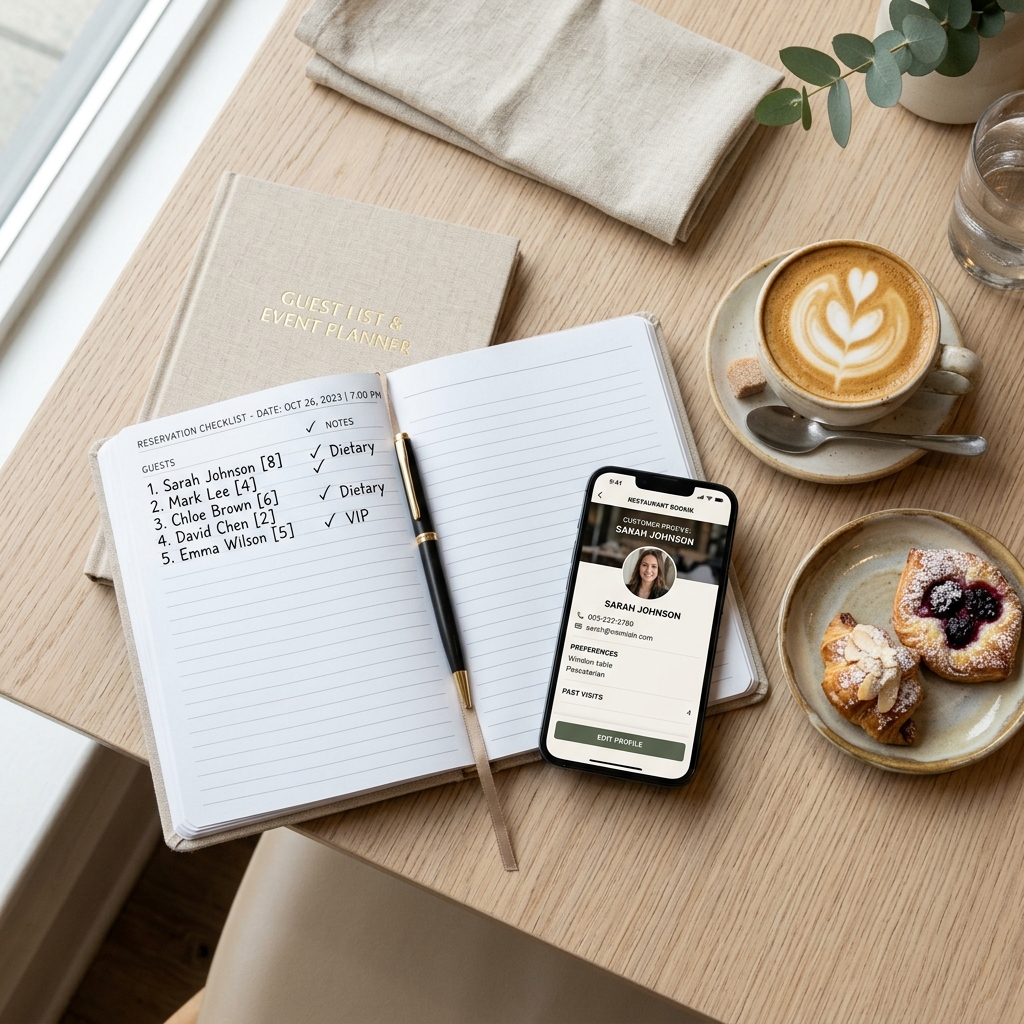
If you don’t know who your guests are, you are running your business in the dark. Every night, tables are occupied, bills are paid, and customers walk out the door. But how many of those customers are new? How many are regulars who visit twice a month? What do they order, and where do they live? If you can’t answer these questions, you are losing money to restaurants that can. Having a reliable customer database for your restaurant is the foundation of modern hospitality management.
Most operators assume that building a database is a complex technical project that requires expensive hardware. It isn’t. A customer database is simply a organized system for collecting, storing, and using guest information to increase visits and average spend. If you have an online booking system or a digital menu, you already have the tools to build it. You just need a practical strategy to pull it all together.
When a guest walks into your restaurant, they want to feel recognized. They want you to remember that they prefer the window table, or that they are allergic to gluten. A database allows your team to deliver that level of hospitality consistently, even if the server is new. Here is how to build and leverage a guest database that drives real revenue.
Where does the data actually come from?
You do not need to ask guests to fill out long paper feedback cards. That is slow, inaccurate, and annoys customers. Instead, set up passive data collection points throughout your guest journey.
Here are the four most effective data channels:
- Your reservation engine: Every online booking should capture the guest’s name, email, phone number, and any dining preferences.
- Online ordering platforms: When customers order takeout or delivery directly from your website, their contact details and order history should save automatically.
- Your digital QR menu: Use a simple sign-up overlay offering a small incentive, like a complimentary drink on their next visit, to capture email addresses.
- Guest Wi-Fi portal: Offer free high-speed Wi-Fi in exchange for a verified email address or phone number.
Think about a busy neighborhood bistro in Manchester. They implemented a guest Wi-Fi portal that required an email address to log in. In just six months, they collected 2,400 verified emails. Those 2,400 contacts are local residents who already sit in their dining room. That database is a powerful marketing tool that cost almost nothing to build.
What data points should you track?
Do not try to collect everything. Too many form fields will discourage guests from signing up. Focus on the core information that helps you make better operational and marketing decisions.
| Data Category | Key Fields to Collect | Why It Matters |
|---|---|---|
| Contact Info | Name, email address, mobile number | Allows you to send marketing campaigns and booking updates. |
| Behavioral Data | Visit frequency, last visit date, average check size | Helps identify your most valuable regulars and dormant customers. |
| Preferences | Favorite table, dietary requirements, allergen alerts | Enables your team to deliver highly personalized table service. |
| Demographics | Birthday month, neighborhood location | Useful for targeted birthday promotions and local marketing events. |
Imagine a guest named Sarah booking a table. When she arrives, the host sees a note in the database: "Sarah: prefers quiet corner, gluten allergy, favorite wine is Chianti." The host guides her to a quiet booth, the server immediately offers a gluten-free menu, and suggests the Chianti. Sarah feels incredibly valued. How likely is she to recommend your restaurant to her friends? Extremely likely.
Turning data into bookings
A database is useless if it just sits there collecting dust. You need to use the information to fill your seats, especially during quiet periods.
Use your data to run these three high-impact promotions:
- The birthday club: Send an automated email or text seven days before a customer’s birthday. Offer a complimentary dessert or bottle of wine if they book a table of four or more. Birthday celebrations are usually group dinners, which increases your average table check.
- The win-back campaign: Filter your database for guests who visited three times in the past but have not been back in sixty days. Send them a friendly message: "We haven't seen you lately. Here is a complimentary appetizer on us to welcome you back."
- The local neighborhood invite: If you are running a special wine tasting event on a quiet Thursday, filter your database for guests who have previously ordered wine and send them a priority invitation.
Avoid the compliance trap
Data privacy is serious. In many countries, violating data protection laws can result in massive fines. Make sure your database complies with local regulations, like GDPR or CCPA.
Follow these safety guidelines:
- Get explicit permission: Never pre-check the marketing opt-in box. The guest must click it themselves.
- Provide easy opt-out: Every email must have an unsubscribe link, and every text must support replying STOP.
- Keep data secure: Use reputable restaurant CRM or management software. Do not store passwords or contact lists in unsecured spreadsheets.
Start small and build consistency
Building a customer database for your restaurant is a long-term strategy. Do not expect to collect ten thousand numbers in a weekend. Focus on quality and consistency. Train your front-of-house staff to explain the benefits of joining your guest database. Ensure your digital booking widget is set up to capture the right fields. Within a year, you will own a highly responsive, local database that can fill your tables on command and increase your restaurant's profitability.