

How to Use Google Business Profile to Attract More Diners
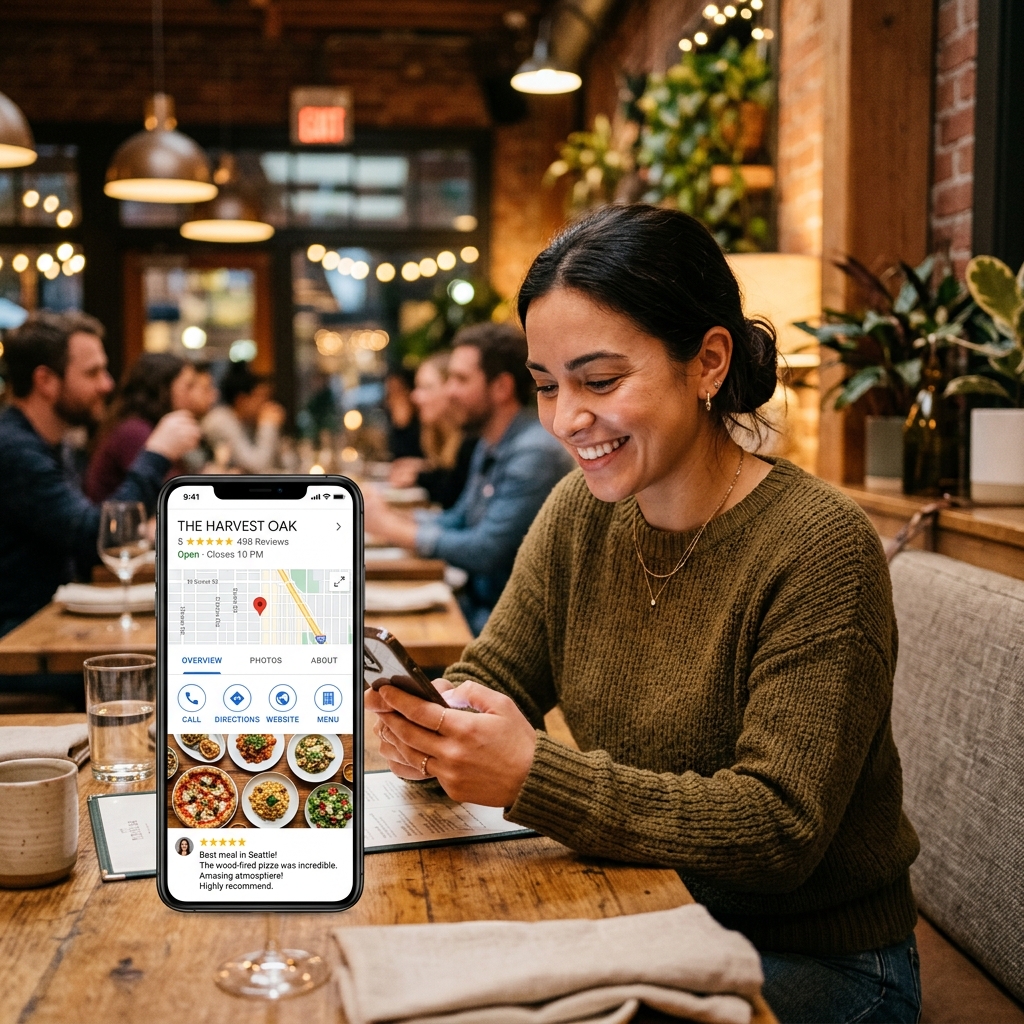
When someone is hungry and looking for a place to eat, they do not browse food blogs or read newspaper reviews. They pull out their smartphone and search for "tacos near me" or "best Italian restaurant" on Google Maps. If your listing does not appear in the top three results (known as the Local Pack), you are losing customers to the restaurant down the street. Your online presence starts at the search bar.
To effectively use Google Business Profile to attract more diners, you must optimize your listing details, showcase visual food content, and actively manage guest reviews. This free tool is your most valuable source of local traffic, converting digital searches into tables booked. Here is how to optimize your profile to dominate local search.
Choose the Correct Category and Details
Google needs to know exactly what you serve to match you with hungry searchers. Many independent spots make the mistake of selecting a generic primary category, like "Restaurant." This is too broad and puts you in competition with fast-food chains and coffee shops.
Select a specific primary category that describes your concept, such as "Neapolitan Restaurant," "Steakhouse," or "Vegan Restaurant." You can add secondary categories later, but your primary choice has the biggest impact on your search ranking.
Double-check these essential details:
- **Consistent opening hours:** Keep your hours updated, especially on public holidays. If a diner drives to your restaurant only to find it closed despite Google saying it is open, they will write a one-star review.
- **Direct booking link:** Link your profile's booking button directly to your website's reservation page. Do not send guests to a homepage where they have to search for the booking button.
- **Complete menu:** Upload a clean, text-based version of your menu rather than a blurry PDF photo. Google scans menu text to match listings with specific dish searches.
Showcase High-Quality Food Photos
Diners buy with their eyes. A Google Business Profile with no photos or only blurry, low-light kitchen shots will discourage guests. You need a gallery of bright, appealing food photos that represent your actual menu.
Upload new photos weekly. Focus on close-ups of your best-selling dishes taken near a window in natural light. Show the texture of the food. Also, upload photos of your dining room during a busy service to show the warm, welcoming atmosphere.
Do not rely only on your own photos. Encourage your customers to upload their photos when they leave reviews. Google's algorithm prioritizes user-generated photos because it considers them more honest than professional marketing shots.
Build an Active Review Engine
The number and quality of your reviews are major ranking factors. A restaurant with a 4.8-star rating and two hundred reviews will always rank higher than a spot with a 4.2-star rating and ten reviews. You must actively ask for feedback.
Make it easy for guests to leave a review. Create a custom review link from your Google dashboard and turn it into a QR code. Place this QR code on a small stand at the host stand or print it at the bottom of your receipts with a note: "Enjoyed your meal? Scan to share your feedback."
Respond to every review, both positive and negative. If someone leaves a five-star review, write a quick thank-you note: "Thanks for visiting, Sarah! Glad you loved the lasagna." If someone leaves a negative review, reply professionally: "We apologize for the delay in your service. Please contact us at info@ourrestaurant.com so we can make this right." This shows potential customers that you care about their experience.
Google Profile Maintenance Checklist
| Frequency | Task | Marketing Goal |
|---|---|---|
| Daily | Respond to new guest reviews | Build trust and improve search rank. |
| Weekly | Upload 3 new food or atmosphere photos | Keep profile active and engaging. |
| Monthly | Verify hours and update upcoming holiday schedules | Prevent guest frustration from wrong info. |
Use Google Updates for Specials
Google Business Profile has an update feature similar to social media posts. You can publish updates that appear directly in search results when people find your restaurant. Use this to post about weekly specials, seasonal menu launches, or upcoming live music nights.
Include a clear call-to-action button on every update, like "Book Now" or "Order Delivery." It is a free way to catch customers at the exact moment they are deciding where to buy food.
By optimizing your category settings, keeping details accurate, uploading fresh food photos, and building a simple review process, you can transform your Google listing into a powerful customer acquisition tool.