

How to Get Your Restaurant Featured in "Near Me" Searches
The Geography of Hunger: How Local Search Works
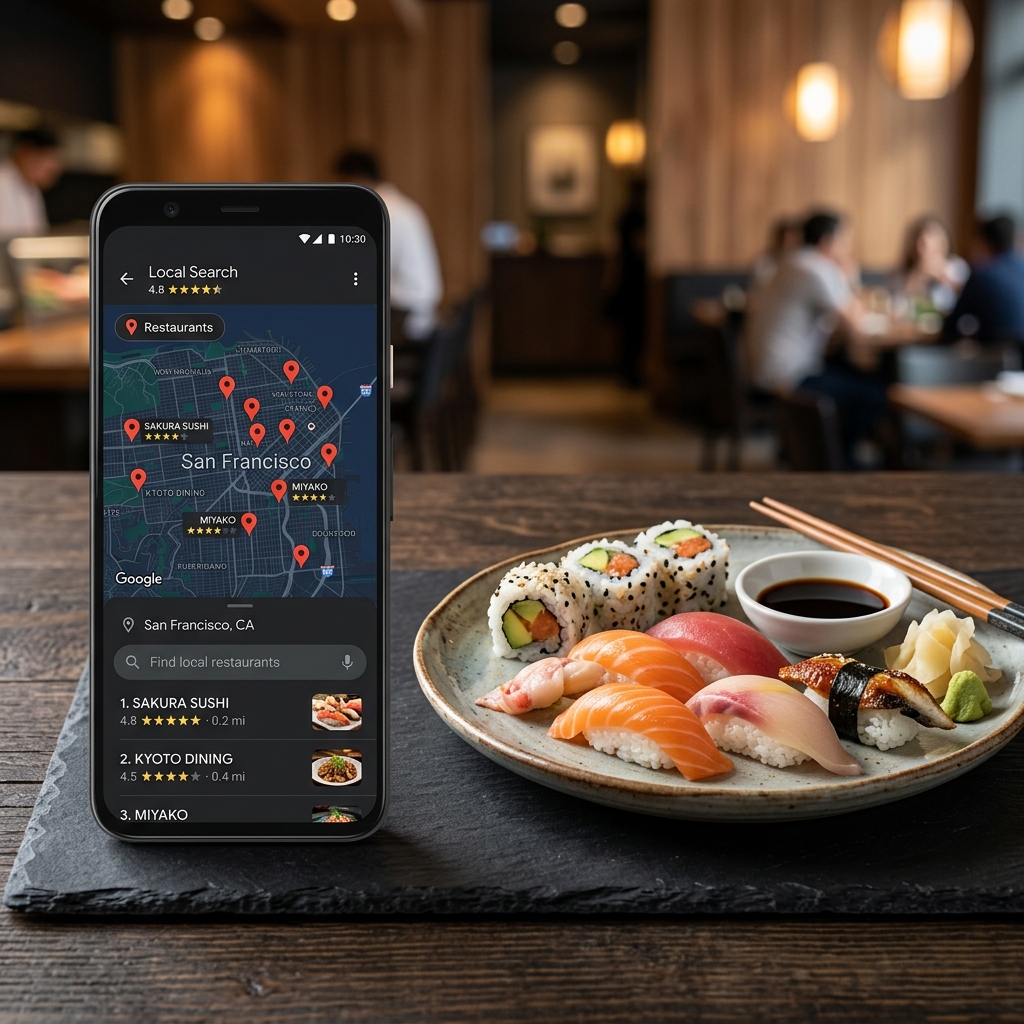
When a hungry diner stands on a street corner in downtown Austin, Texas, during the Tuesday lunch rush and types "tacos near me" or "ramen near me" into their smartphone, they are not looking for a general web search. They want food, they want it fast, and they want to know how to get there. Google understands this search intent. The search engine responds by displaying what marketers call the Local 3-Pack: the map-based business listings that appear at the top of the search results page, complete with ratings, addresses, phone numbers, and operational hours.
Getting your restaurant into that coveted trio is not a matter of luck. It is the result of aligning your digital presence with the three pillars of local search: relevance, distance, and prominence. Relevance measures how closely your restaurant matches the user's intent. If a diner searches for "gluten-free pasta," Google looks for profiles that explicitly mention this option. Distance is simple physics: how close your physical doors are to the user's GPS coordinates or the geographical center of their search query. You cannot change your physical location, but you can maximize your visibility within your surrounding radius. Prominence reflects how popular or well-known your restaurant is in both the offline and online worlds. This is determined by search engine database signals, including reviews, links, articles, and directory listings.
Understanding these pillars changes how you view your digital presence. It is not just about having a pretty website. It is about feeding search algorithms the exact data they need to recommend your business over the competitor down the street. When you understand that local search is about proximity and trust, you can stop wasting time on general SEO strategies and focus on what actually drives foot traffic.
Claiming and Dominating Your Google Business Profile
Your Google Business Profile is your digital storefront. It is often the first point of contact a potential customer has with your brand, long before they ever click through to your actual website. Leaving this profile incomplete or unoptimized is like keeping your front doors locked during the weekend dinner rush. First, verify your profile immediately. Google allows verification through phone, email, or video recordings of your physical space. Once verified, fill out every single field. Do not skip sections because they seem irrelevant.
Category Selection Strategy
Selecting your business categories is one of the most critical decisions you will make. Google allows you to choose one primary category and up to nine secondary categories. Your primary category holds the most weight in search algorithms. Let us look at a common mistake. A restaurant in downtown Seattle that serves high-end Italian food, wood-fired pizza, and natural wines might choose "Italian Restaurant" as its primary category. However, if the local search volume for "pizza near me" is five times higher than "italian restaurant near me," and the restaurant's highest-margin item is their sourdough pizza, they might want to switch their primary category to "Pizza Restaurant" and list "Italian Restaurant" as a secondary category. Examine your local market demand and align your primary category with the food items that drive your actual revenue. Do not guess which category works best: use keyword research tools to see what people in your city actually search for when they are hungry.
The Absolute Consistency of NAP Data
NAP stands for Name, Address, and Phone number. Search engines crawl hundreds of directories across the web to verify that your business is legitimate. If your Google profile lists your address as "1200 Congress Avenue Suite B," but your Yelp profile says "1200 Congress Ave. #B," and a local news article lists it as "1200 Congress Street," Google's algorithm gets confused. When search engines find conflicting information, their confidence in your business's physical location drops, and they will rank you lower in search results. Set a standard format for your NAP data and use it identically, down to the punctuation, across every platform, from your website footer to local directories and social media profiles. If your restaurant is inside a shopping mall or office park, include the suite or unit number consistently everywhere.
Attributes and Filtered Searches
Diners do not just search for food; they search for experiences. They look for "restaurants with outdoor seating," "dog-friendly restaurants," or "wheelchair accessible dining." Google allows you to select attributes in your dashboard to indicate these features. When a user filters their "near me" search for outdoor dining, Google excludes every restaurant that has not explicitly checked the "outdoor seating" attribute box, even if they have a beautiful patio shown in their photos. Take the time to check every attribute that honestly applies to your space, including family-friendly amenities, payment options, and parking availability. These micro-details might seem minor, but they act as binary filters in local search.
Eliminate PDF Menus: Optimize for Crawler Readability
If your restaurant menu is currently hosted on your website as a PDF link or a scanned JPEG image, you are actively hiding your food from search engines. Search engines cannot easily read the text embedded in images or PDF files. When a user searches for "spicy tuna roll near me" or "truffle fries downtown," Google crawls local websites looking for those exact phrases in text format. If those words are locked inside a PDF file, the search engine will bypass your website and recommend a competitor who lists their dishes in clean, indexable HTML text.
Structured Text Menus
The solution is to build a text-based menu directly on your website pages. This makes your menu readable to both search engines and assistive technologies used by visually impaired diners. To go a step further, implement Schema.org structured data, specifically the FoodEstablishment and MenuItem schemas. This structured code tells search engines exactly what each dish is, its ingredients, and its price. When Google's crawlers can clearly see that you serve a "pan-seared duck breast with cherry reduction for $34," they are far more likely to display your restaurant when someone searches for upscale dining or duck dishes in your neighborhood. This structured markup acts as a direct translator between your kitchen and Google's ranking engine.
Keyword Integration in Dish Descriptions
Do not write descriptions that only make sense to your kitchen staff. A menu that reads "The Classic: Our signature item, served with house sauce and fries" misses a massive search opportunity. Instead, write: "The Classic Burger: Seven-ounce grass-fed beef patty on a toasted brioche bun, topped with aged cheddar cheese, butter lettuce, house-made dill pickles, and garlic aioi, served with hand-cut French fries." This description naturally includes valuable keywords like "burger," "grass-fed beef," "cheddar cheese," and "French fries." When local diners search for these specific ingredients or items, your restaurant has a much higher chance of appearing in their search results. Think about the common search terms your customers use and weave them naturally into your descriptions without making the menu look like spam.
Engineering a High-Velocity Review System
Online reviews are a primary ranking factor for local search. Google's algorithm evaluates reviews based on three factors: rating, quantity, and recency. A restaurant with a 4.8-star rating from three reviews written two years ago will easily lose to a restaurant with a 4.5-star rating and fifty reviews written over the last month. You need to build a system that consistently generates high-quality reviews from satisfied diners.
Quantity, Frequency, and Keywords
Google's algorithm also reads the actual text of your reviews. When customers write detailed descriptions of their experience, using words like "best steak tacos in Austin," "cozy atmosphere," or "excellent service during lunch rush," the search engine associates those keywords with your business. This means you need a continuous stream of new reviews containing natural keyword variations. Encourage your customers to mention specific dishes they enjoyed rather than just writing "great place." The freshness of reviews is a key signal of operational activity. It tells the algorithm that your business is open, thriving, and drawing customers today.
The Ethics and Methods of Asking
You must actively ask for reviews, but you must do it ethically and in compliance with platform guidelines. Never offer discounts, free drinks, or financial incentives in exchange for reviews. This violates Google's terms of service and can result in your profile being suspended or removed entirely. Instead, train your staff to ask for feedback at the right moment. When a server clears a clean plate and the diner expresses how much they loved the meal, the server can say: "I am so glad you enjoyed the hand-rolled gnocchi. If you have a minute, leaving a quick review on Google helps our kitchen team a lot." Make the process as frictionless as possible. Print small cards with a QR code that links directly to your Google review page. Place these QR codes discreetly on your guest check presenters or at the host stand. If you use a digital reservation system like OpenTable or Resy, set up an automated email or text message that sends a friendly thank-you note and a review link two hours after their reservation ends. When you make it a standard part of your post-meal flow, review acquisition becomes a self-sustaining engine.
The Art of Responding
Responding to reviews is not just good customer service. It is a signal to search engines that your business is active and managed. Respond to every review, positive or negative. When responding to a positive review, personalize your message. Avoid generic copy-paste replies. Write: "Thank you for the kind words about our wood-fired pizza, David. We are thrilled you enjoyed the spicy salami option." When handling negative reviews, remain calm and professional. A defensive response looks terrible to prospective customers reading the reviews. Use a simple, structured approach: acknowledge the issue, apologize briefly, and move the conversation offline. For example: "Thank you for sharing your experience, Sarah. We had an unusually busy Tuesday lunch rush and clearly missed the mark on your service speed. We would love to make this right. Please contact our general manager directly at gm@bistrotx.com so we can discuss this further." This demonstrates to search engines and potential guests that you are attentive and professional. It turns a bad experience into a public demonstration of excellent hospitality.
Local Citations and Geotargeted Backlinks
Local search engines look for validation outside of your own website and Google profile. They want to see that other reputable websites agree that your business exists, is active, and is located exactly where you say it is. This is where local directory listings and geographic links come into play.
Beyond Google: The Local Ecosystem
Do not ignore other platforms. Many drivers use Apple Maps, which draws data from Yelp and TripAdvisor. Car navigation systems often pull data from TomTom or HERE. Make sure you claim and update your listings on Yelp, TripAdvisor, Bing Places, Apple Maps, and Foursquare. Letting these secondary listings sit empty or containing outdated hours can lead to mismatched data, which hurts your overall domain authority in local search algorithms. Each directory you claim acts as another vote of confidence in the eyes of search algorithms, reinforcing your geographic footprint.
Earning Geographic Authority
Backlinks (links from other websites to your website) remain a core pillar of search engine optimization. However, for local SEO, the geographic relevance of the link is often more important than the general domain authority of the linking site. A link from a local high school sports team website that you sponsor, or a neighborhood association blog in your zip code, carries massive local weight. It tells search engines that your business is deeply rooted in that specific geographic area. Consider these local link-building tactics: sponsor local charity events, youth sports, or community festivals that list sponsors on their websites. Partner with local food bloggers or influencers by inviting them to taste new menu items. Write guest posts or provide expert commentary for local neighborhood blogs or business associations. Collaborate with other nearby businesses. If you run a coffee shop, partner with a nearby bakery for a cross-promotion and link to each other's websites. These links act as digital breadcrumbs that connect your restaurant directly to your neighborhood.
Technical and Mobile-First Website Performance
Most "near me" searches occur on mobile devices. A diner is walking down the street, sitting in a taxi, or waiting outside a theater, looking for a place to eat. They are likely using a cellular network with a weak signal. If your website takes too long to load, they will abandon the page immediately.
Speed on the Go
A high bounce rate (users leaving your site within seconds of landing) signals to Google that your website is not providing a good user experience. This can lead to a drop in search rankings. Keep your website fast by compressing all images. Do not upload raw photo files straight from a digital camera. Spend time optimizing every image file so it is under 150 kilobytes. Avoid heavy animations, large video backgrounds, or complex scripts that delay rendering. Ensure your hosting plan offers quick server response times. Every millisecond you shave off your page load speed directly increases the probability of converting a searcher into a diner.
Structured Data and Schema Markup
We mentioned menu schema, but your entire website should be wrapped in LocalBusiness schema. This is structured data markup that you add to your website's HTML code to help search engines understand your business details. This code tells search engines your exact geographic coordinates (latitude and longitude), your business hours, your accepted payment methods, and links to your reservation portal and social profiles. Adding this code ensures that when Google displays your restaurant in map search results, it displays the most accurate information possible, reducing the risk of a diner showing up when your kitchen is closed.
Your 30-Day Local SEO Action Plan
Improving your visibility in "near me" searches is not a one-time project. It requires consistent, incremental updates. Instead of trying to tackle everything in a single afternoon, break the work down into a manageable monthly checklist. During days 1 to 5, claim and verify your profiles on Google, Apple Maps, Bing Places, and Yelp. Standardize your business name, address, and phone number across all of them. During days 6 to 10, audit your website menu. Replace any PDFs or images with clean, structured HTML text. Add descriptive ingredients to your top five best-selling dishes. During days 11 to 15, create a review collection system. Train your front-of-house staff on how to ask for reviews, and set up your automated post-dining emails. During days 16 to 20, add photos to your Google Business Profile. Upload high-quality pictures of your dining room, exterior, and popular menu items. Avoid stock photography. During days 21 to 30, reach out to three local organizations or neighborhood blogs for sponsorship or collaboration opportunities to build local backlinks. By executing these steps, you will establish a search presence that captures hungry customers at the exact moment they are deciding where to spend their dining dollars.